🎉 Limited Offer — 50% OFF All Plans!
Ends in
8days
15hrs
:
34min
:
44sec
:
28ms

OOTD Photoshoot

Elevate your fashion content with an AI-powered OOTD photoshoot. Upload your items and models to create professional editorial results in seconds.

Character
0/3
Product
0/4
 
Scene
Upload: 5 credits
0/10
Prompt
Setting
Fidelity
Credits0
Cost
-0

Results will appear here

Operation Guide

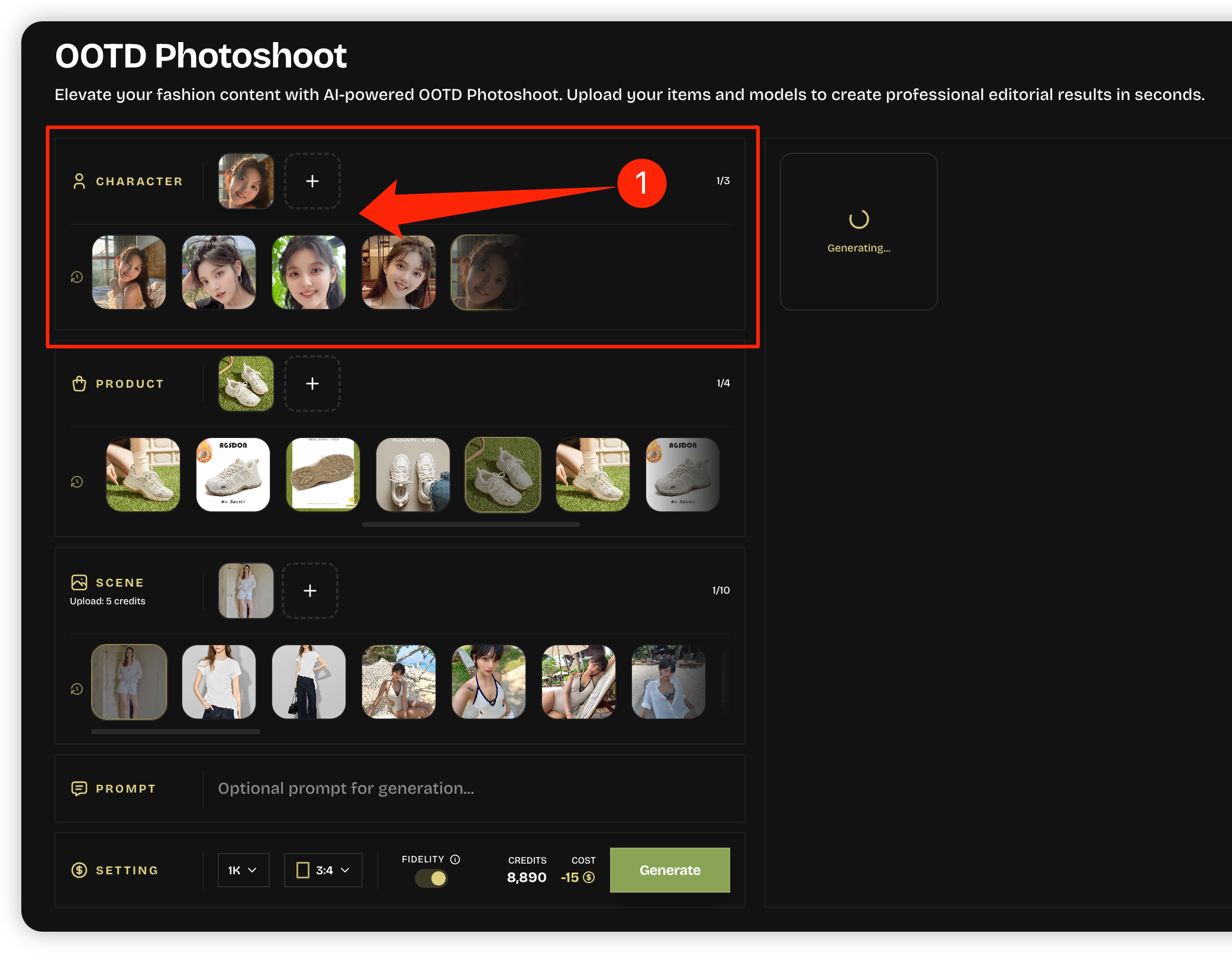
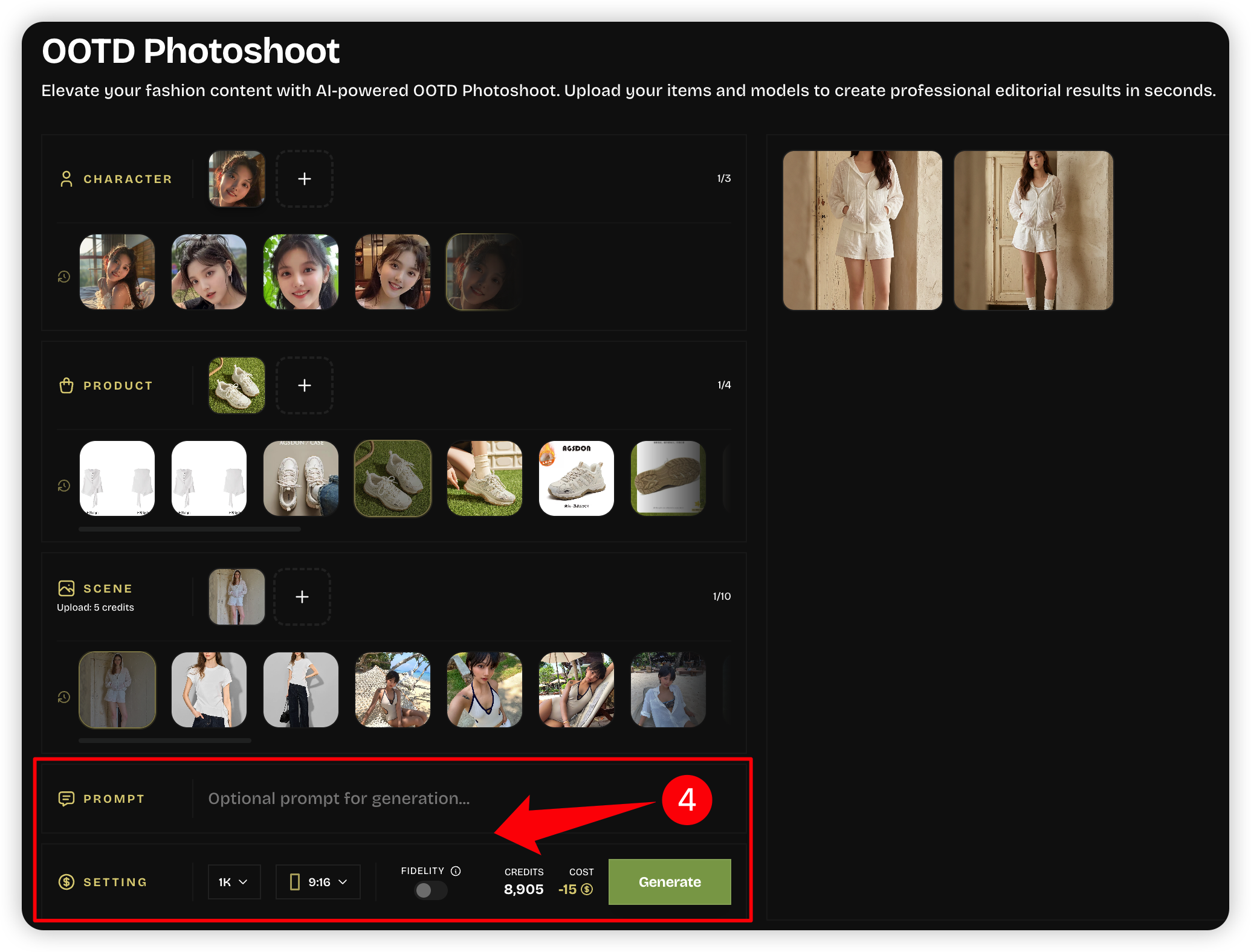
Step 1: Select or Upload Your Character
Step 1 / 5
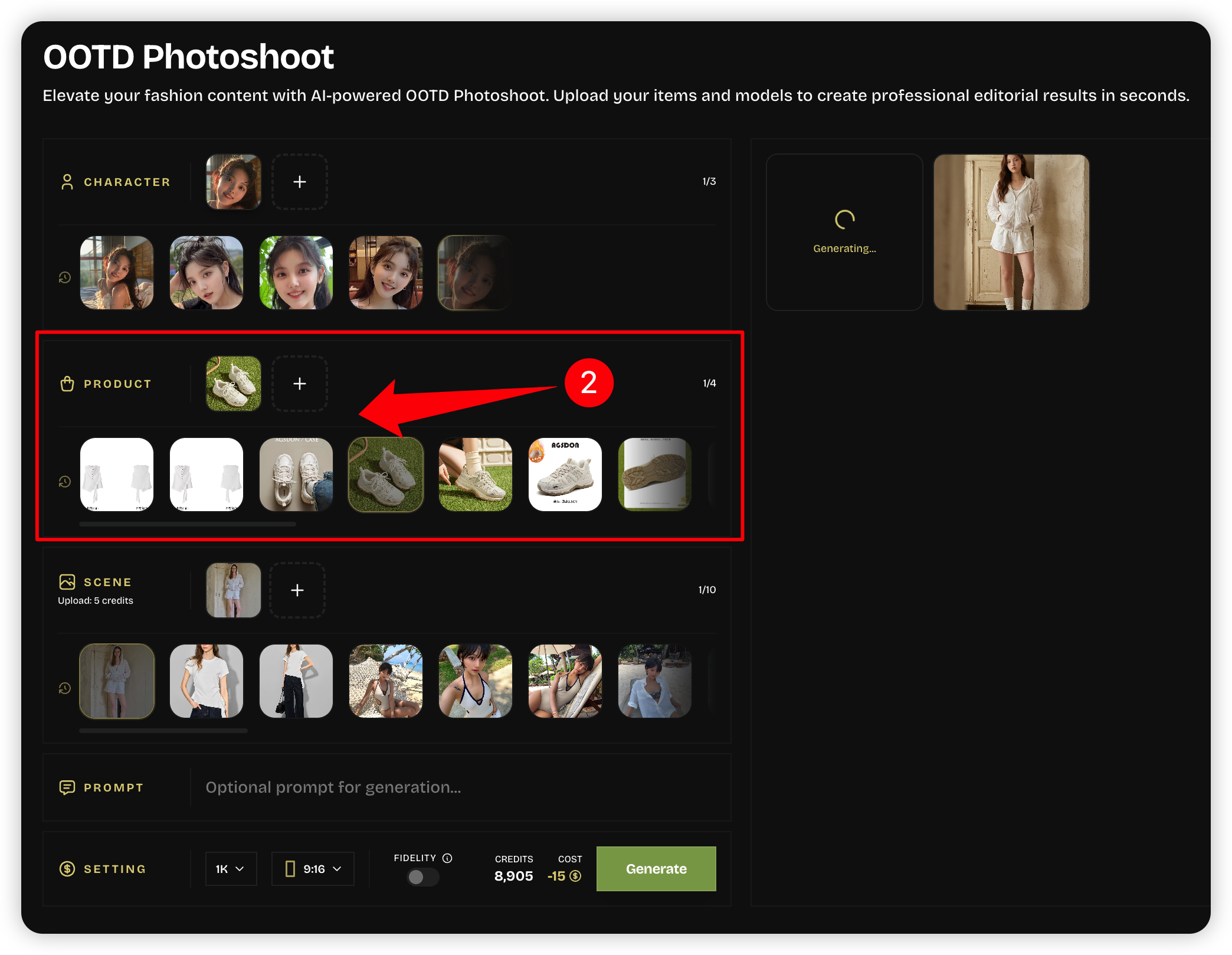
Step 2: Upload Product Image (Optional)
Step 2 / 5
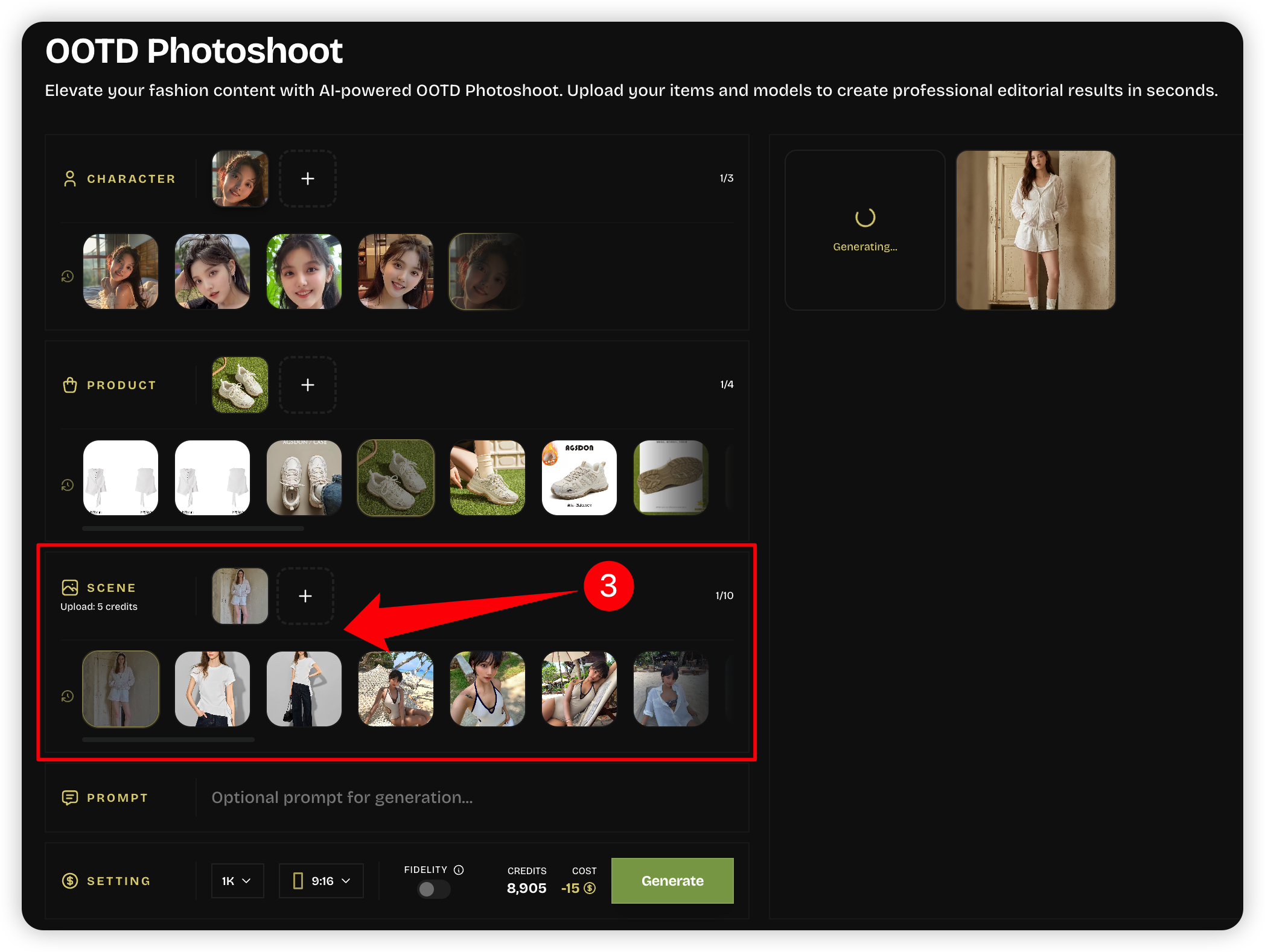
Step 3: Select or Upload Scene
Step 3 / 5
Step 4: Configure Parameters & Prompt
Step 4 / 5
Step 5: Generate Results
Step 5 / 5

Key Features

OOTD Photoshoot Key Features

Six fashion-focused capabilities for turning models, products, and scene references into social-ready OOTD photoshoot visuals.

Model & Identity Consistency

Start from a character or model image and keep the subject stable across outfit scenes, lookbook variations, and campaign tests.

Product-Led Outfit Styling

Add clothing, bags, shoes, or accessories so the OOTD photoshoot can highlight a specific item without losing the full outfit story.

Scene & Pose Templates

Choose street style, studio, travel, editorial, and lifestyle templates that define pose, environment, lighting, and fashion mood.

Fidelity Control

Use Fidelity to follow the reference closely for pose and styling, or loosen it when you need more creative OOTD photoshoot directions.

Social-Ready Outputs

Create vertical posts, square outfit grids, lookbook images, ad tests, and creator-style visuals for Instagram, TikTok, Pinterest, and shops.

Rapid Lookbook Scaling

Turn one model and a few products into many outfit concepts, seasonal drops, influencer-style posts, and fashion campaign options.

OOTD Photoshoot Guide

What is an OOTD photoshoot?

A practical guide to creating outfit-of-the-day visuals that feel styled, social-ready, and useful for creators, fashion sellers, and brand campaigns.

What is an OOTD photoshoot?

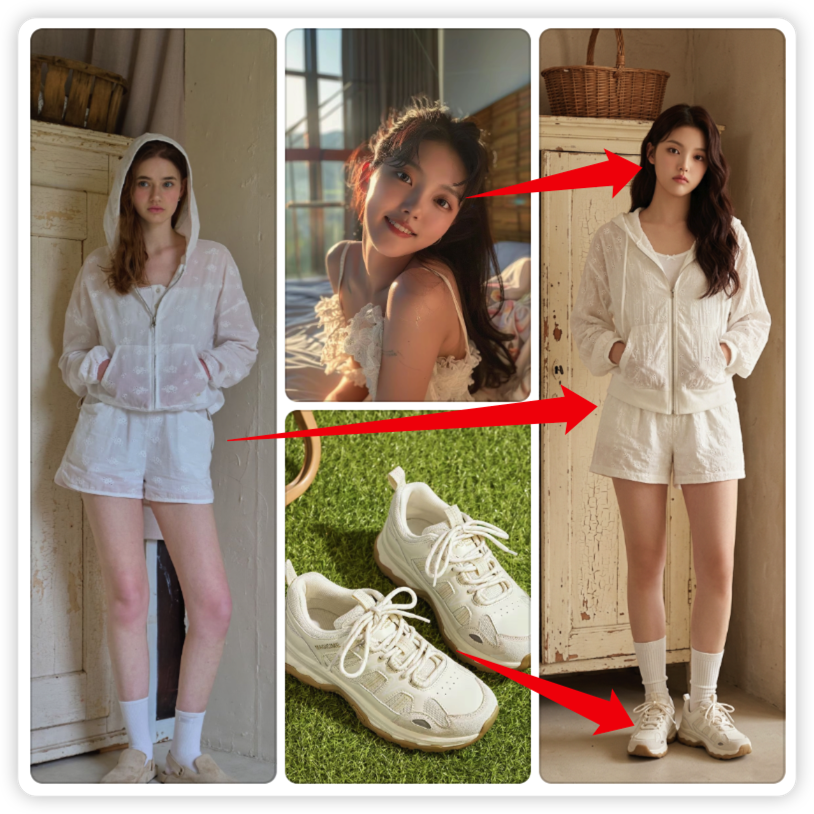
An OOTD photoshoot is an outfit-of-the-day visual built around a complete look. It shows the model, clothing, accessories, styling mood, and setting so viewers can understand the outfit quickly on Instagram, TikTok, Pinterest, or an ecommerce page.

Photoshoot turns an OOTD photoshoot into a repeatable AI workflow. Upload a character or model image, add optional product images, choose a scene template, and control whether the result closely follows the reference or explores a more creative fashion look.

Use this AI OOTD photoshoot for daily outfit content, influencer-style posts, apparel launches, lookbook assets, or testing how a product looks on different models and scenes before arranging a real fashion shoot.
Best inputs

Use a clear model or character image and product photos that show silhouette, fabric, and color. Strong inputs make the OOTD photoshoot more believable.

Best outputs

Generate full-body outfit posts, street-style scenes, studio fashion portraits, and product-led OOTD photoshoot visuals for social or commerce.

Best review

Check fit, seams, accessories, hands, face, and product placement. The final OOTD photoshoot should look stylish without misrepresenting the item.

How to create an AI OOTD photoshoot

An effective OOTD photoshoot balances three things: a recognizable model, accurate product details, and a scene that matches the style story.

1

Upload the model or character

Start with a clear subject image so the generated outfit shot has a stable face, body pose, and overall identity.

2

Add the fashion product

Upload clothing, bags, shoes, or accessories when a specific item must appear in the OOTD photoshoot.

3

Select the scene template

Choose a street, studio, editorial, travel, or lifestyle scene that fits the outfit and the platform you plan to publish on.

4

Tune fidelity and prompt details

Use Fidelity when the template and product must be followed closely; add prompt notes for pose, mood, season, or styling direction.

FAQ

OOTD photoshoot FAQ

Answers for creators and fashion teams using AI to produce outfit visuals while keeping style, fit, and product intent clear.

Rate our service

Your feedback helps us improve photoshoot generation for everyone.

Service rating

4.8

5,029 votes